- Version
- Download 1
- File Size 755.45 KB
- File Count 1
- Create Date June 8, 2026
- Last Updated June 8, 2026
Project Nexus
🌌 System Overview
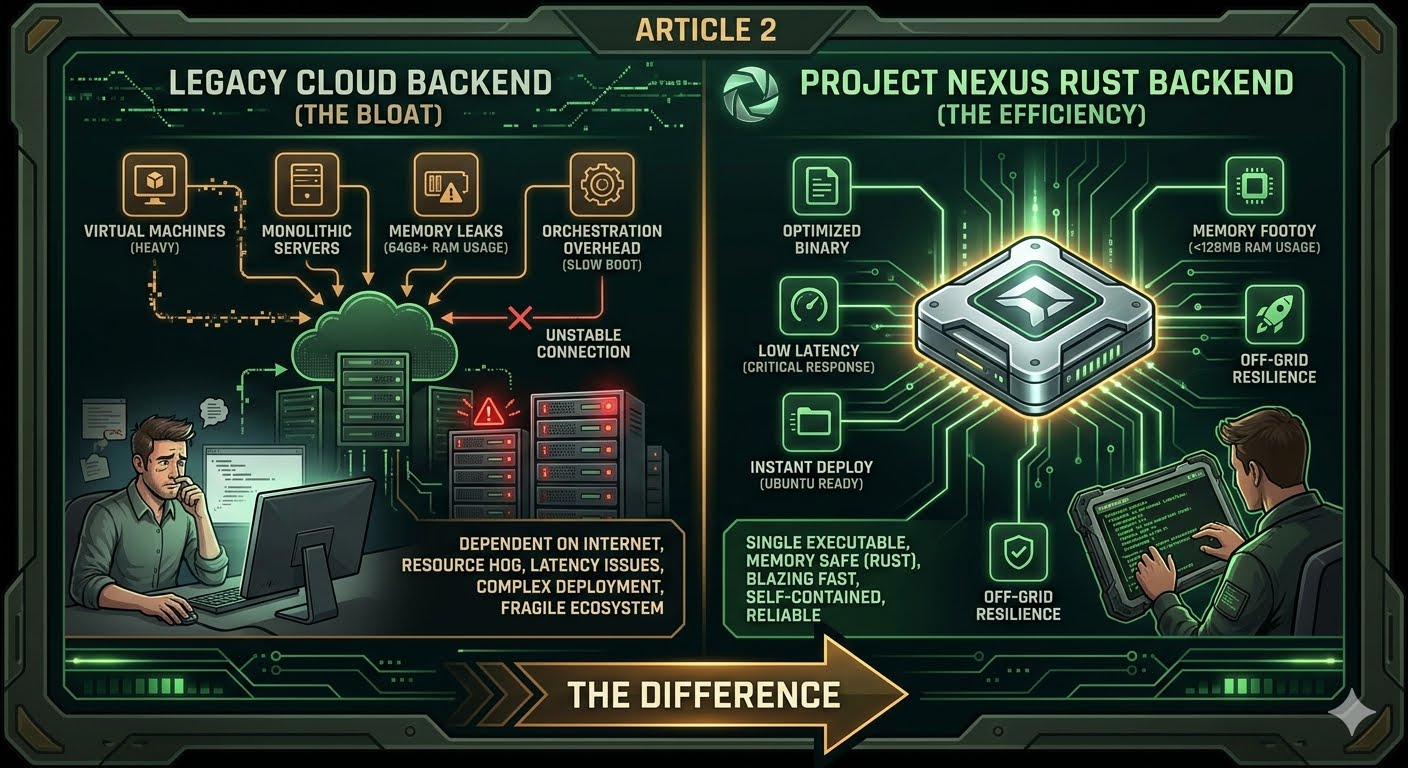
Project Nexus is an ultra-fast, multi-threaded network service core built entirely from scratch in Rust to deliver maximum situational intelligence with zero internet dependencies, zero cloud tracking, and zero telemetry lines. Designed specifically for tactical operators, homestead grids, and emergency communication nodes, it wraps an entire offline information ecosystem into a single self-contained, high-performance machine binary file [▞].
When deployed locally, it turns any standard laptop, desktop computer, or standalone field mini-PC running Ubuntu/Linux into a centralized off-grid command bridge [▞].
🕹️ The 3 Crown-Jewel Core Engines Inside
- 🧠 Local Semantic Knowledge Base Search Engine: A highly optimized, in-memory markdown data scanner. Drop your emergency survival guides, checklists, and medical manuals as raw
.mdtext blocks inside your local/knowledge_basedirectory. Type a query like "diesel fuel limits" or "livestock infection", and the Rust engine instantly skips data chaos, parses paragraphs, and extracts precise matching instructions onto a single screen in milliseconds. - 📡 The Swarm Synchronization & P2P Mesh Daemon: Operating silently on a multi-threaded background loop via UDP Port 9091, the daemon triggers an automated data broadcast cycle every 5 seconds. It captures your local logistics manifests, inventory stockpiles, and agricultural charts from your local ledger file, masks it with an encrypted-ready signature, and pushes it across the local subnet airwaves. When a neighboring node is detected, it automatically merges data logs to create perfect community ledger symmetry across all laptops in range with no central global servers required.
- 🗺️ HTML5 Canvas Tactical GIS Matrix Viewer: Serves a high-density visual tracking radar over TCP Port 9090. The engine directly parses coordinate assets and map lines coming out of your local
/vector_tiles/*.gridfiles. It paints custom visual target marker flags on a pixelated military-green crosshair dashboard layout—letting you map out water caches, security teams, supply coordinates, and perimeter lines entirely offline.
📦 Distribution Package Contents (
PROJECT_NEXUS_RELEASE_v1.5.zip)This optimized, highly compressed standalone release bundle is completely "plug-and-play" out-of-the-box, containing exactly three foundational assets:
- 🚀
PROJECT_NEXUS(Standalone Binary Executable): The optimized, machine-compiled core engine. All your interactive web interface paths and dashboard views are baked directly into the raw machine code. It launches instantly, consumes almost zero system RAM, and runs flawlessly on older, low-power laptops in the field. - 📑
operator_manual.html(Technical Master Manual): A beautiful, high-density, text-only offline operator field guide. Fully stylized with matching tactical terminal aesthetics, it details step-by-step procedures for dual-port memory purges, file ingestion protocols, and off-grid sub-net layouts. - ⚙️
launch_nexus.sh(One-Click Linux Automation Script): Instantly flushes stuck zombie network ports, opens your technical manual and tactical dashboard side-by-side inside your browser, and fires up your background Rust engine with a single double-click.
🛠️ Instant Field Deployment Checklist
To launch your sovereign node right now with zero installation friction, execute these slow, fool-proof steps:
- Extract the Files: Unzip
PROJECT_NEXUS_RELEASE_v1.5.zipdirectly onto your Ubuntu desktop workspace folder. - Initialize Data Shields: Open a terminal window and execute our automated directory generation command pass to spin up your storage folders:
bash
cd ~/Desktop/PROJECT_NEXUS && mkdir -p knowledge_base vector_tiles database_sync && touch database_sync/logistics.db && echo "COORDS//X:420_Y:180//SAMPLE_CACHE" > vector_tiles/sector_charlie.gridUse code with caution. - Launch the System: Right-click your
launch_nexus.shfile and select Run as a Program (or execute./target/release/PROJECT_NEXUSnatively in your pane console window). - Access the Dashboard: Open your web browser and go to:
http://localhost:9090. Your tactical command matrix is officially armed, cached, and broadcasting entirely off-the-grid!